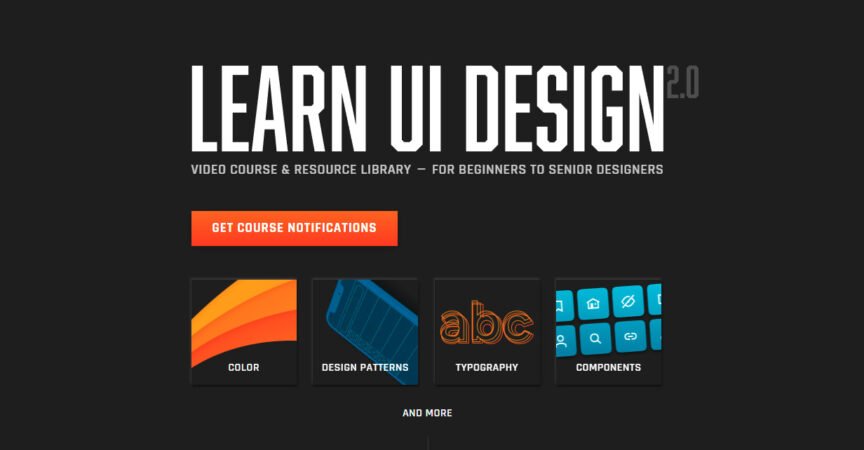


Erik Kennedy – Learn UI Design: Complete Guide for UI Mastery in 2025
Learning user interface design has become one of the fastest ways to enter the world of digital product creation. The demand for skilled UI designers is constantly growing as companies look to build beautiful, functional interfaces for mobile apps, websites, and software. One of the standout training programs trusted by beginners and professionals worldwide is Erik Kennedy’s Learn UI Design course.
This detailed review and guide will explain what the course teaches, who it is for, how it helps you grow as a designer, and why it’s considered one of the most effective ways to learn UI design step-by-step.
What Makes This UI Design Program Unique?
UI design is often seen as complex—filled with rules, visual theory, and countless design tools. Many people learn by guessing or copying what they see online. Instead, this course breaks down design into a clear process that is easy to understand and apply.
Erik Kennedy focuses on practical UI principles that can be used in real projects. Instead of overwhelming learners with too much theory, he teaches design through reasoning—why things look good, how to remove visual clutter, and what makes an interface actually usable.
Students learn:
How to create clean layouts
Which typography combinations work best
How to select balanced and professional colors
The fundamentals of spacing and grid systems
Icon design and shape language
Responsive design for multiple devices
Giving and receiving professional design critique
This helps turn a complete beginner into a confident UI designer with real results.
Who Is This Course Designed For?
If you are:
A beginner designer
A UX designer wanting better visual design skills
A developer who wants to design their own interfaces
A freelancer working on digital product projects
Someone looking to build a design portfolio
…then this course can make a huge difference in your career path.
The lessons are structured so even beginners start building visually strong interfaces from the very first day.
A Strong Foundation in Visual Design
The course explains UI foundations through simple formulas. Instead of guessing what looks good, students learn why:
1️⃣ Typography That Improves Readability
Typography is one of the most important parts of UI design. Good font selection makes a product feel modern, trustworthy, and easy to read. This course teaches:
How to pair fonts professionally
Font sizing rules for hierarchy
Line spacing and alignment
Styling for headings, body text, labels, and buttons
You will learn how typography guides users through the screen effortlessly.
2️⃣ Layout and Hierarchy
A messy layout confuses users. This course teaches how to build structured designs using:
Grid systems
Alignments and spacing patterns
Z-pattern and F-pattern reading behavior
Visual grouping rules
Good hierarchy tells users exactly what to look at first on a screen.
3️⃣ Color Theory in UI
Choosing colors can be the hardest part for beginners. Here, students learn:
How to build simple scalable color palettes
Using contrast for readability and accessibility
Approaching light and dark theme design
Emotional impact of color choices
By the end, selecting colors becomes a professional strength—not a struggle.
Real-World Practice Tasks and Design Exercises
The program does not rely only on watching videos. Every lesson includes a hands-on assignment that allows students to:
✔ Improve with guided steps
✔ Practice what they learn immediately
✔ Build a usable design portfolio
✔ Get feedback from the instructor
You will redesign screens, create components, design icons, refine spacing, and learn the workflow used by top product designers.
Understanding Icons and Visual Language
Icons are small but extremely important in UI design. They help communicate actions faster than words. Erik teaches:
Shape consistency
Line thickness rules
How to create icons using basic shapes
When icons should replace text
Accessibility considerations
You will gain skills many designers don’t learn until late in their careers.
Building Professional-Level Interfaces
Once core skills are strong, the course teaches how to design fully polished interfaces using the same methods used by expert designers working in successful product teams.
You will practice:
Dashboard design
Landing pages
Mobile app UI
E-commerce interfaces
SaaS product screens
Navigation menus and cards
By the end of the course, students can confidently build interfaces that look modern, clean, and professional.
Design Critique and Improvement Mindset
One of the biggest strengths of the training is learning how to critique design.
You will understand:
What makes a design bad or confusing
Why small changes create big improvements
How to justify design decisions
How to accept feedback in a professional manner
This is an essential skill for anyone planning to work as a UI designer, especially in teams or freelance environments.
Portfolio and Career Support
To enter the design industry, you need proof of your skills. The course helps students build a strong portfolio that includes real UI projects.
It also provides guidance for:
Preparing case studies
Showcasing skills during interviews
Freelancing and pricing projects
Communicating with clients or team members
By the end, you are not only learning UI, but also preparing for career opportunities in product design.
Tools Used in the Program
The main design tool used is Figma, the most popular UI/UX design platform today. The course shows:
Auto-layout
Components and variants
Prototyping basics
Design system organization
Collaboration workflows
Even users who have never touched design software can follow easily.
Why So Many People Choose This Program
Here are the biggest benefits students mention:
| Advantage | Why It Matters |
|---|---|
| Beginner-friendly | No need for a design background |
| Real practical design | Skills you can use in real jobs |
| Step-by-step structure | No confusion — clear learning path |
| Portfolio-ready projects | Great for job seekers |
| Modern design aesthetics | Matches industry trends |
| Expert instructor | Guidance from a real professional |
Instead of learning random design tricks, you learn timeless UI principles that keep your work relevant for years.
Common Questions About the Program
How long does it take to complete?
Most students finish in 8–12 weeks, depending on their pace.
Do I need drawing or art skills?
No — UI design is about function, spacing, and structure, not sketching abilities.
Can this help me get a job?
Yes. Many students become:
UI Designers
Product Designers
Freelancers
Web Designers
Your portfolio will help you stand out in interviews.
Is This Course Worth It in 2025 and Beyond?
The digital world continues to expand. New apps are launched every day, and companies want beautiful user experiences that are easy to navigate. Skilled designers are needed more than ever.
Learning UI design now can open:
✔ Remote job opportunities
✔ Freelance earning potential
✔ Creative career growth
✔ Long-term stability in the tech field
If you are serious about design, this is one of the best structured learning paths available.
Final Thoughts
Professional UI design skills are life-changing for anyone who wants to enter the world of product design. With a structured approach, clear teaching style, portfolio building, and practical concepts, Erik Kennedy’s Learn UI Design course makes the learning journey smooth and enjoyable.