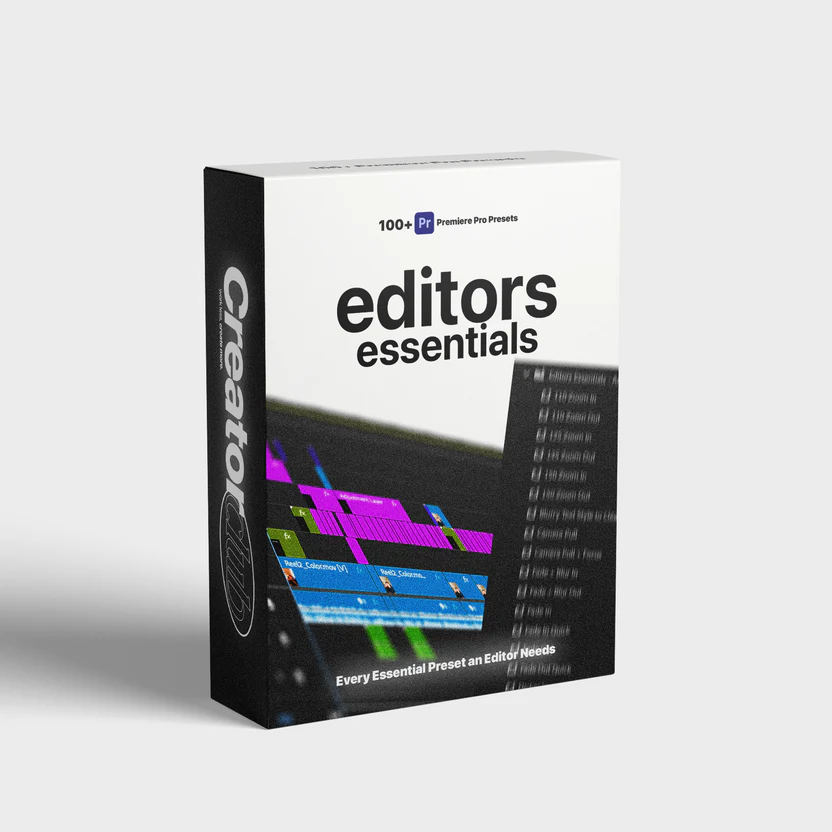


Editors Essentials – 100+ Adobe Premiere Pro Presets
In today’s fast-paced digital world, video editors are expected to deliver cinematic, polished, and engaging visuals in record time. Whether you’re a YouTuber, filmmaker, social media creator, or agency editor, efficiency and consistency are critical. This is where Editors Essentials – 100+ Adobe Premiere Pro Presets becomes a game-changing solution for modern video creators who want professional results without wasting hours on manual adjustments.
This comprehensive preset collection is designed to simplify your workflow while maintaining top-tier visual quality. Instead of building effects from scratch, editors can apply ready-made presets that instantly elevate footage, enhance storytelling, and ensure visual consistency across projects.
What Are Premiere Pro Presets?
Presets are pre-configured effect settings that can be applied to video clips with a single click. They eliminate repetitive tasks and allow editors to focus on creativity rather than technical setup. These presets can include transitions, color grading styles, motion effects, text animations, overlays, and more.
A well-structured preset pack offers flexibility, customization, and compatibility across different project types, making it a valuable asset for editors at any skill level.
Why This Preset Collection Stands Out
Not all preset packs are created equal. Many are bloated, poorly optimized, or designed for very specific use cases. This collection focuses on practical, real-world editing needs while maintaining a clean, professional aesthetic.
Key Highlights
Over 100 professionally designed presets
Optimized for fast rendering and smooth playback
Beginner-friendly yet powerful for advanced editors
Clean, modern, and cinematic styles
Fully customizable to match any brand or project
What’s Included in the Collection?
1. Cinematic Color Grading Presets
Achieve film-like tones, balanced contrast, and rich colors without complex color correction. These presets work across various lighting conditions and camera profiles, allowing editors to maintain consistency throughout their videos.
2. Smooth Transitions
Includes seamless zooms, slides, fades, whip pans, and motion blur transitions that add energy without distracting the viewer. Perfect for YouTube videos, reels, and promotional edits.
3. Motion & Zoom Effects
Add dynamic movement to static clips using subtle zooms, camera shake effects, and motion overlays. Ideal for storytelling, documentaries, and explainer videos.
4. Text & Title Animations
Professionally animated titles, lower thirds, and call-outs designed to keep viewers engaged while maintaining readability and elegance.
5. Social Media Ready Presets
Optimized effects for vertical, square, and horizontal formats, making it easy to repurpose content across platforms like Instagram, YouTube Shorts, and TikTok.
Who Should Use These Presets?
This collection is suitable for a wide range of users:
YouTubers looking to speed up production without compromising quality
Freelance video editors managing multiple clients and tight deadlines
Content creators building personal brands on social media
Marketing agencies producing ads, promos, and branded videos
Beginners who want professional results without technical complexity
How These Presets Improve Workflow
Save Time
Manual adjustments for color, motion, and transitions can take hours. With presets, editors can achieve the same results in minutes.
Maintain Consistency
Consistency is essential for branding. Presets ensure uniform colors, transitions, and styles across all videos.
Reduce Editing Fatigue
By eliminating repetitive tasks, editors can focus on storytelling, pacing, and creativity rather than technical settings.
Easy Installation & Customization
The presets are designed for simple drag-and-drop installation. Once installed, they appear directly in the Effects panel, ready to use. Each preset is fully adjustable, allowing editors to tweak intensity, colors, speed, and motion parameters based on project needs.
No plugins or third-party tools are required.
Compatible With Multiple Editing Styles
The designs are intentionally clean and versatile, ensuring they don’t overpower the footage.
Why Professional Editors Prefer Presets
Professional editors understand the value of tools that scale. Presets are not shortcuts—they are efficiency multipliers. They allow editors to deliver high-quality results consistently while meeting deadlines and client expectations.
Using a curated preset pack is a strategic decision that improves output quality and overall productivity.
Final Thoughts
If you want to streamline your editing process, enhance visual quality, and deliver polished videos faster, Editors Essentials – 100+ Adobe Premiere Pro Presets is a powerful addition to your creative toolkit. It balances flexibility, performance, and professional design—making it suitable for both beginners and experienced editors.
Instead of spending countless hours fine-tuning effects, you can focus on what truly matters: telling compelling stories through video.