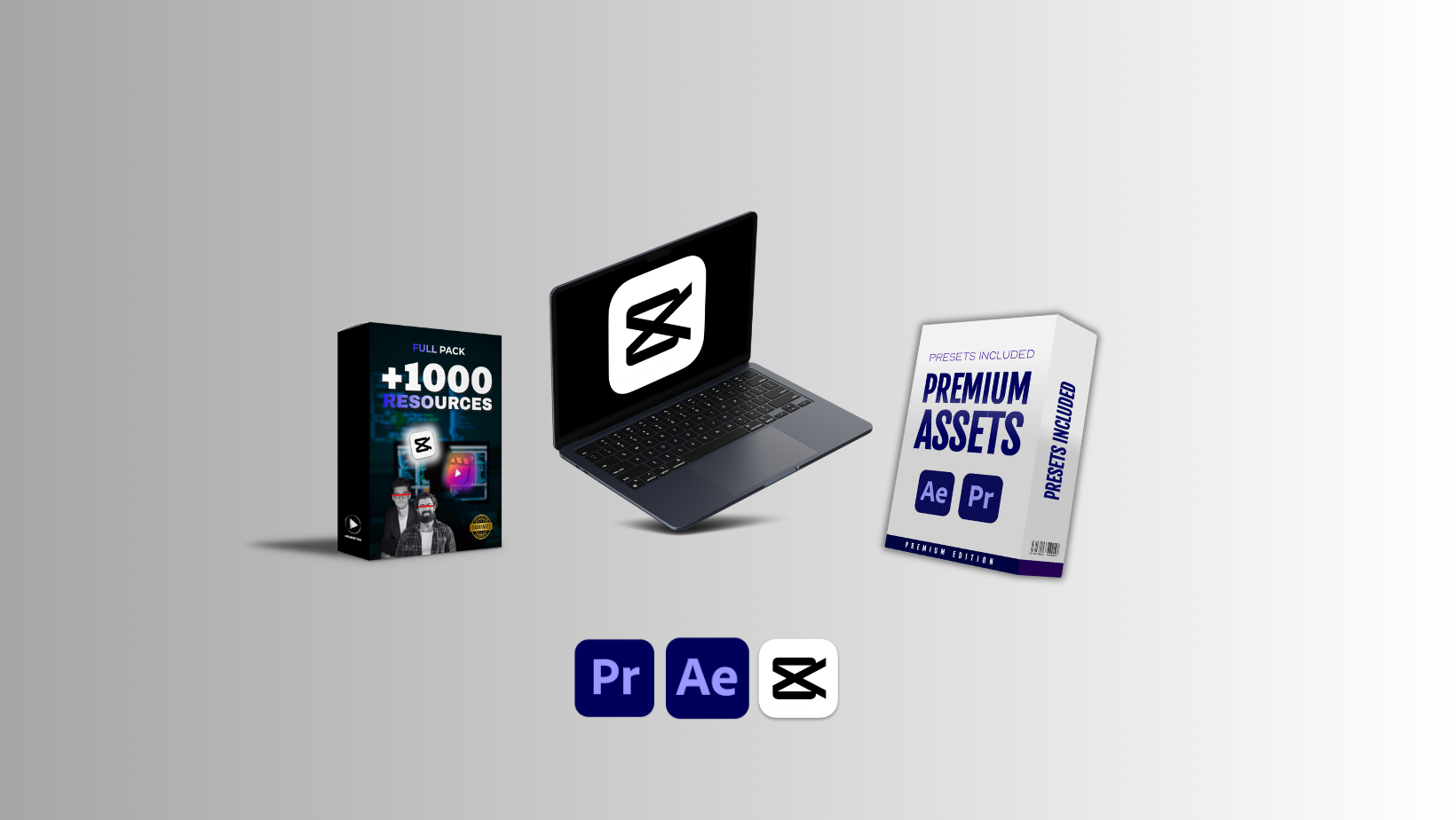


CapCut Mastery Course + Full Pack of Video Editing Assets + Premium Assets
Introduction: The Rise of Modern Mobile Video Editing
Video creation has transformed into one of the most powerful digital skills of the decade. Whether someone wants to build a personal brand, launch a career as a professional editor, or grow across social media platforms like Instagram, YouTube, and TikTok, having the ability to craft visually compelling videos has become essential. Tools that were once accessible only to professionals with expensive software are now available on mobile devices, making high-quality editing easier, faster, and far more flexible. Among all the available platforms, CapCut has emerged as a global leader thanks to its intuitive interface, feature-rich environment, and advanced editing tools that rival desktop software.
Today, creators around the world rely on CapCut for transitions, animations, cinematic looks, color grading, and polished storytelling. However, mastering the app requires proper guidance, structured learning, and access to high-quality resources. This is where a comprehensive training program becomes invaluable, especially one that combines expert instruction with a complete library of editing assets that elevate any project. A full learning package ensures that creators don’t waste time searching for effects, presets, overlays, or templates. Instead, everything is organized, ready to use, and built to accelerate progress.
Why Learning CapCut Is Essential for Modern Creators
1. The Power of Simplicity Paired With Professional Strength
CapCut’s popularity isn’t based solely on trends. It blends ease of use with professional performance, allowing both beginners and experienced editors to achieve high-quality results without complications. What makes it truly powerful is its ability to offer advanced tools such as keyframing, masking, speed ramping, 3D transitions, AI features, and cinematic color controls inside a mobile-friendly environment.
2. Social Media Platforms Favor High-Quality Edits
Short-form and long-form content continue to dominate online spaces, and platforms are rewarding creators who produce visually appealing videos that stand out. This is why mastering a tool like CapCut matters deeply. When creators understand how to apply visual rhythm, motion, and aesthetic consistency, their videos perform better, retain more viewers, and generate stronger engagement.
3. High-Demand Skillset for Freelancers and Online Professionals
The digital economy has opened thousands of opportunities for editors who specialize in mobile-first workflows. Businesses, influencers, marketers, and agencies constantly need fast turnarounds, trending-style edits, and visually attractive promotional videos. Proper training ensures editors can produce these results confidently.
Inside the Comprehensive CapCut Mastery Course
A structured course is the fastest way for beginners and intermediate editors to move toward advanced capabilities. This complete program is designed to walk learners through every tool, feature, and editing technique that makes CapCut a world-class platform.
Module 1: Introduction and Interface Navigation
The first module offers a detailed walkthrough of the CapCut workspace. Learners become familiar with timelines, layer controls, media importing, tool placements, and workflow shortcuts. A strong foundation ensures the rest of the course feels intuitive and easy to follow.
Module 2: Essential Editing Techniques
This section introduces cutting, trimming, splitting, merging clips, and arranging footage in a storytelling sequence. It also covers audio syncing, overlay usage, and basic animations. By the end, users can assemble clean and polished sequences.
Module 3: Advanced Transitions and Speed Controls
Transitions are crucial for maintaining flow. This module focuses on dynamic transitions such as zooms, spins, wipes, and 3D motions. Techniques like speed ramping and velocity editing are explained in detail, ensuring students understand how to create energetic visuals that match beats or storytelling moments.
Module 4: Cinematic Editing and Color Grading
Color plays a major role in setting mood and tone. Learners explore filters, manual color grading tools, shadow adjustments, temperature controls, contrast balance, and aesthetic looks inspired by movies and social media trends. This section demonstrates how to turn ordinary footage into emotionally resonant visuals.
Module 5: Audio Mastery and Sound Design
Sound is half the experience. The course covers beat matching, ambient layering, cinematic sound effects, voice enhancement, and clean audio mixing. It teaches how to build rhythm and energy, helping creators craft immersive videos.
Module 6: AI Tools, Effects, and Motion Features
CapCut offers a powerful suite of AI tools such as auto captions, body tracking, face enhancement, smart background removal, and automatic style generation. This module showcases how AI simplifies complex editing tasks while maintaining precision.
Motion features including stabilization, camera shake effects, and motion blur are taught to bring dynamic energy into each project.
Module 7: Crafting Viral Edits and Social Media Content
Learners study patterns behind trending edits, viral hooks, and platform-specific strategies for TikTok, YouTube Shorts, and Instagram Reels. This module explains how to optimize videos for algorithmic reach, viewer retention, and shareability.
Module 8: Full Professional Workflows
The final module assembles everything learned into complete start-to-finish projects, guiding learners through planning, shooting, editing, finalizing, and exporting. This gives students real-world experience and confidence.
Complete Pack of Video Editing Assets Included
High-quality assets are essential for creating modern, engaging videos. Many creators spend hours searching for overlays, LUTs, transitions, and sound effects. This all-in-one pack solves that frustration by offering a full library of professional resources.
What’s Included in the Asset Pack?
1. Cinematic LUTs and Color Presets
These presets allow instant transformation of footage into film-like visuals. They include moody tones, teal-and-orange styles, high-contrast looks, warm cinematic palettes, and social media-friendly aesthetic filters.
2. Transitions and Overlay Effects
Motion graphics transitions, light leaks, VHS overlays, glow effects, particle bursts, dust textures, and bokeh overlays are provided in the pack. These assets enhance storytelling and bring depth to videos.
3. Sound Effects and Music Packs
The collection includes cinematic bass hits, whooshes, risers, impacts, ambience layers, and clean musical loops. They help elevate the emotional energy and pacing of every edit.
4. Templates and Ready-Made Project Files
Professional templates save hours of manual work. They include trending edit formats, social promo layouts, slideshow templates, typography designs, and minimal clean layouts.
5. Stickers, Animations, and Motion Graphics
The pack offers animated icons, emojis, handwriting animations, arrows, shapes, callouts, and motion label designs ideal for promotional and tutorial videos.
Why This Asset Pack Matters
Creators often struggle because they lack the right visuals or sound elements to elevate their projects. A full asset library provides everything needed to create polished videos without spending hours searching for resources online. It also helps maintain consistency across multiple edits, building a recognizable personal or brand style.
Premium Assets for Professional-Level Projects
Beyond the standard resources, the premium pack includes exclusive features that give creators a competitive advantage.
1. Advanced Motion Templates
These templates offer complex animations normally found in professional software. They include cinematic openers, high-energy promo sequences, dramatic photo montages, and dynamic text animations.
2. High-Resolution Stock Footage and B-Roll
The premium library contains HD and 4K clips for lifestyle, nature, technology, business, and travel themes. These additions help editors strengthen storytelling even when they lack original footage.
3. High-Quality Visual FX (VFX) Elements
Here, creators gain access to cinematic flares, explosions, magical effects, spark bursts, slow-motion particles, and realistic smoke overlays. These can transform simple footage into dramatic scenes.
4. Premium Font Collections
Typography is crucial for creating strong visuals, and the premium pack includes unique fonts for titles, minimal designs, retro edits, and cinematic intros.
Benefits of This Complete Learning and Asset Package
1. Saves Time and Increases Productivity
With structured lessons and ready-made resources, creators can produce more high-quality videos in less time.
2. Boosts Creative Confidence
Learning advanced techniques step-by-step eliminates confusion and uncertainty. Editors can experiment freely with stronger understanding.
3. Enhances Social Media Growth
Better edits lead to more views, better engagement, and improved chances of viral success across platforms.
4. Opens Career Opportunities
Freelancers, influencers, businesses, and agencies all require skilled editors. A mastery-level skill set increases earning potential.
5. Provides Long-Term Value
Once creators understand CapCut deeply and have access to professional assets, they can continue producing visually appealing content for years.
Final Thoughts
Mastering the art of mobile video editing is one of the smartest decisions for anyone who wants to grow digitally. Whether the goal is personal branding, professional editing, or creating viral content, having both expert training and a complete library of editing assets offers a powerful advantage. This comprehensive package delivers everything needed to elevate skills, unlock creative potential, and build stunning videos that stand out across every platform.